Not just a degree. A structured certification stack in Business Analytics and Digital Marketing — delivered live, hands-on, and AI-integrated every Saturday and Sunday alongside your academic calendar.

A structured six-certification stack built into your MITSDE PG programme — not as an add-on, but as a parallel skill layer running alongside your academic calendar.
Every session runs live on weekends. Every tool is one employers actually use. And the cost to you is exactly ₹0 extra.
Most postgraduate management programmes teach concepts. They teach you about AI. They don't put AI tools in your hands in a live session and say: do this task right now. The result is graduates who can talk about AI but can't demonstrate it in an interview or on day one of a job.
MITSDE recognised this gap in 2025 and made a decision: the Bootcamp vertical would be completely rebuilt — not just updated. Every session was redesigned from scratch with AI integration as a non-negotiable element. Not a tool demo at the end. A live task, during the session, on your laptop.
MITSDE Bootcamp is now the only PG distance education programme in India that gives students a structured, AI-integrated certification stack as part of their degree — with real tools, real sessions, and real industry experts. When you graduate, you don't just have a PGCM or PGDM. You have proof.
Every MITSDE student in Business Analytics or Digital Marketing earns structured, tool-based certifications — delivered by industry SMEs in live weekend sessions on Saturdays and Sundays. Each certification has a dedicated AI component that is not a demo — it is a live, scored skill task.
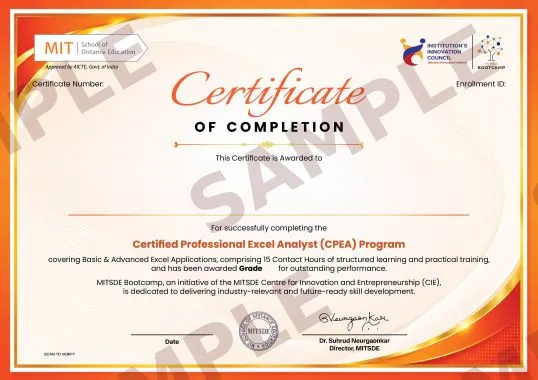
Master data handling, Pivot Tables, advanced formulas, Power Query, VBA/Macros and dashboard building — the universal analytics foundation every employer expects.
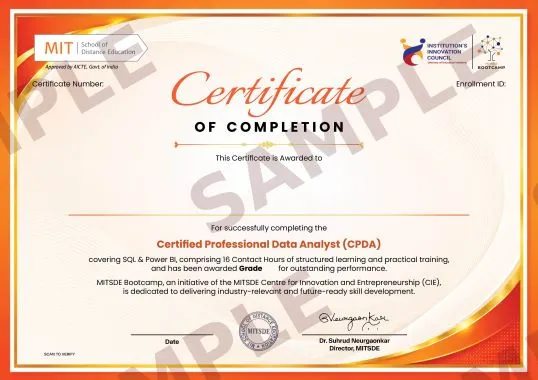
SQL querying, Power BI dashboards and DAX measures — from raw datasets to insight-driven business decisions with AI-generated code.
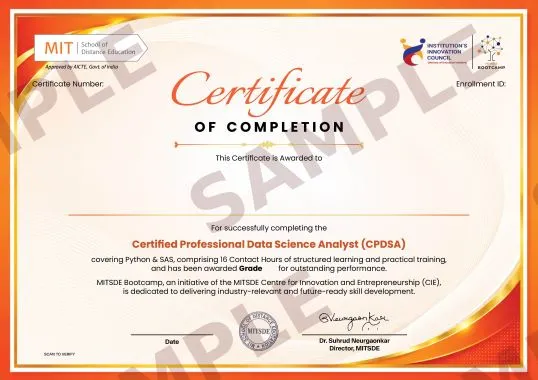
Python data analysis, SAS and statistical modelling applied to real business datasets — with AI-assisted coding that makes Python accessible from day one.
Statistical modelling, forecasting with R and Tableau visualisation — turning complex quantitative methods into business decisions and leadership conversations.
SEO, Google Ads, email marketing and e-commerce — the full entry-level digital marketing stack taught live with the tools running campaigns right now.
Marketing automation, chatbots, content at scale and affiliate marketing — the advanced tool stack that separates practitioners from strategists.
Build a GA4 dashboard, an attribution model in Looker Studio and a Tableau customer journey map — one full Sunday using Julius AI and Gemini for Workspace.
Create a Canva post, a CapCut reel, a 1-month content calendar and an influencer brief — all in one Sunday, with AI-generated visuals and captions.
Use Perplexity AI for trends, NotebookLM for brand intelligence and ChatGPT for sentiment analysis — the analytics stack that turns social data into strategy.
The Bootcamp is sequenced deliberately — each certification builds on the last, and the tracks are designed to align with how employers actually hire. Here is the full learning arc.
| Track | Step 1 — Foundational | Step 2 — Intermediate | Step 3 — Advanced | Step 4 — Strategic |
|---|---|---|---|---|
| BA Track |
CPEA — Excel
Certified Professional Excel Analyst
15 hrs · Jul 2026
|
CPDA — SQL + Power BI
Certified Professional Data Analyst
15 hrs · Aug 2026
|
CPDSA — Python + SAS
Certified Professional Data Science Analyst
15 hrs · Jan 2027
|
CPQBA — R + Tableau
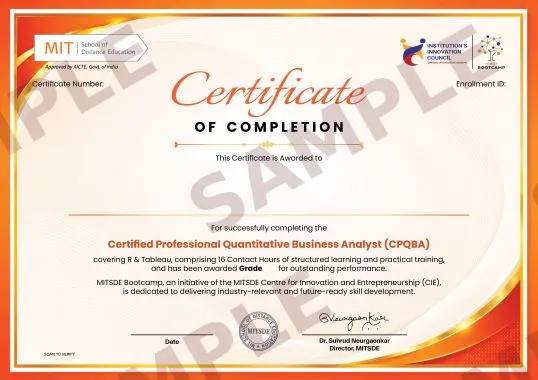
Certified Professional Quantitative Business Analyst
15 hrs · Feb 2027
|
| DM Track |
CDME — Essentials
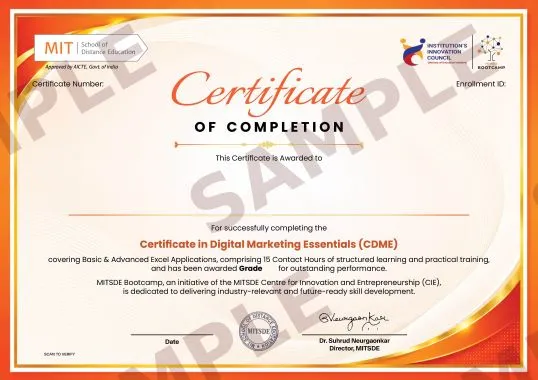
Certificate in Digital Marketing Essentials
15 hrs · Jan 2027
|
CDMA — Applications
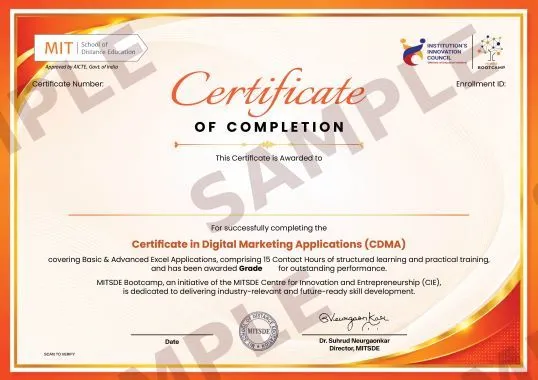
Certificate in Digital Marketing Applications
15 hrs · Feb 2027
|
B1 — Labs Analytics
Marketing Analytics Mastery
8 hrs · Mar 7, 2027
|
B2 + B3 — Labs Intelligence
Social Media, Content & Future Intelligence
8 hrs each · Mar 14 & 21, 2027
|
Every tool below is practised live in session — on your own laptop, with a real task, alongside the SME. Purple-highlighted tools are AI tools integrated as core session skills.
Every certification and Bootcamp Lab includes a dedicated AI task — a real skill you practise during the session, not a presentation you watch. These are the AI skills appearing in 2025–26 job descriptions across analytics, marketing, and management roles.
Tools in each certification are chosen because they appear in real industry job descriptions. This is what you'll be able to demonstrate in your next interview — backed by your MITSDE certification.
| Role | Key Tools | Certifications |
|---|---|---|
| Data Analyst | SQL, Power BI, Excel, data cleaning, dashboard reporting | CPEA + CPDA |
| Business Intelligence Specialist | Power BI, DAX, Tableau, Looker Studio, data modelling | CPDA + CPQBA |
| Data Science Analyst | Python (Pandas, NumPy), SAS, R, statistical modelling | CPDSA + CPQBA |
| Analytics Consultant | R, ARIMA forecasting, Tableau, regression analysis | CPQBA |
| MIS / Reporting Analyst | Excel (advanced), Power Query, VBA, SQL, dashboards | CPEA + CPDA |
| Role | Key Tools | Certifications |
|---|---|---|
| Digital Marketing Analyst | GA4, Looker Studio, UTM tracking, SQL basics | CDME + B1 Labs |
| Social Media Manager | Meta Business Suite, Canva, Buffer, Heepsy, analytics | B2 + B3 Labs |
| SEO / SEM Specialist | GA4, Google Ads, Ahrefs, Screaming Frog, Keyword Planner | CDME |
| Growth / Automation Marketer | Zapier, Make.com, Zoho CRM, ManyChat, WhatsApp Business | CDMA |
| Content / Brand Strategist | Canva, CapCut, Notion, Descript, AI content stack | B2 Labs + CDMA |
| Performance Marketing Manager | Meta Ads, Google Ads, Impact affiliate, UTM, DV360 | CDME + CDMA |
Our SMEs don't just teach these tools — they use them professionally every day. Here's what they want you to know before you walk into your first session.
Real feedback from MITSDE students who completed Bootcamp certifications alongside their PG programmes.
“I work full-time as a finance executive and was worried these sessions would be too academic. Instead, I spent the whole day actually doing things — building Pivot Tables, running macros, using ChatGPT to write formulas I would have Googled for an hour. CPEA changed how I work every single day.”
“The SQL + Power BI combination in CPDA was something I had been trying to self-learn for 8 months. In 6 live sessions, I understood DAX, built a full dashboard, and felt confident calling myself a data analyst. The AI component — using ChatGPT to write SQL — genuinely blew my mind.”
“The B1 Bootcamp was the best professional learning experience I have had in 5 years. One full day. We built a GA4 dashboard, an attribution model in Looker Studio, a Tableau customer journey map, and used Julius AI to analyse the whole thing. I showed my manager the output on Monday and got a project promotion.”
“I joined MITSDE for the PGCM. The Bootcamp was a surprise bonus — but honestly, it’s what I talk about most at work. After CDME, I restructured my company’s entire SEO and email strategy. The Ahrefs + GA4 + Brevo workflow is now standard at my company.”
“We left B2 with a Canva post, a CapCut reel, a 1-month calendar, and an influencer brief — all produced in one Sunday. When I posted the reel, it got 4,000 views. That’s the best ROI on any training I have done.”
“CPDSA with Python and SAS was challenging — but that’s why I value it. The method of teaching Python through ChatGPT-assisted coding made it genuinely accessible. I went from zero Python to completing a real dataset analysis in 6 sessions. My senior colleagues asked me to present it to the whole team.”
Every session is delivered by a working industry professional who uses these tools in their current role — with live industry exposure they bring directly into the classroom.
All sessions run on Saturdays and Sundays. Participants use their own laptops. All certifications are included in your MITSDE programme fee — no additional charges.
| Certification | Vertical | Start Date | Sessions | Hours | Format |
|---|---|---|---|---|---|
| CPEA Certified Professional Excel Analyst | Bootcamp | July 19, 2026 | 5 sessions | 15 hrs | Live Online · Sat/Sun |
| CPDA Certified Professional Data Analyst | Bootcamp | Aug 23, 2026 | 6 sessions | 15 hrs | Live Online · Sat/Sun |
| CPDSA Certified Professional Data Science Analyst | Bootcamp | Jan 9, 2027 | 6 sessions | 15 hrs | Live Online · Sat/Sun |
| CPQBA Certified Professional Quantitative Business Analyst | Bootcamp | Feb 20, 2027 | 6 sessions | 15 hrs | Live Online · Sat/Sun |
| CDME Certificate in Digital Marketing Essentials | Bootcamp | Jan 10, 2027 | 4 sessions | 15 hrs | Live Online · Sat/Sun |
| CDMA Certificate in Digital Marketing Applications | Bootcamp | Feb 7, 2027 | 4 sessions | 15 hrs | Live Online · Sat/Sun |
| B1 Marketing Analytics Mastery | LABS ★ | Mar 7, 2027 | Full day | 8 hrs | Live Online · Sunday |
| B2 Social Media, Content & Influencer Marketing | LABS ★ | Mar 14, 2027 | Full day | 8 hrs | Live Online · Sunday |
| B3 Social Media Analytics & Future Intelligence | LABS ★ | Mar 21, 2027 | Full day | 8 hrs | Live Online · Sunday |
★ LABS footnote: B1, B2, and B3 are delivered under the MITSDE LABS vertical as 8-hour full-day live online workshops (including lunch break). Batch 1 delivery: March 2027. Pattern repeats for all Semester 2 batches. Included in programme fee — no additional charges.
How MITSDE Bootcamp stacks up for working professionals who want proof of skill, not just certificates of completion.
| Feature | MITSDE Bootcamp | Online Courses | Paid Bootcamps |
|---|---|---|---|
| Live industry SME instruction | ✓ Yes | No | Limited |
| 6 structured certifications included | ✓ Yes | No | No |
| AI tools integrated in every session | ✓ Yes | No | Some |
| Hands-on, tool-based — every session | ✓ Yes | Limited | Limited |
| JD-aligned tool selection | ✓ Yes | No | Varies |
| Sat & Sun — no career disruption | ✓ Yes | Yes (self-paced) | Yes (self-paced) |
| Zero extra cost — included in programme fee | ✓ Yes | Yes (free content) | No |
| Peer learning with working professionals | ✓ Yes | No | Limited |
| Placement & career support | ✓ Yes | No | No |
| MITSDE industry certificate on completion | ✓ Yes | No | Yes |
Join working professionals from across India who are adding AI-powered industry certifications to their MITSDE programme — at zero extra cost — and walking into interviews with proof, not just a degree.